What Is a Purchase Order and Why Does Your Business Need One?
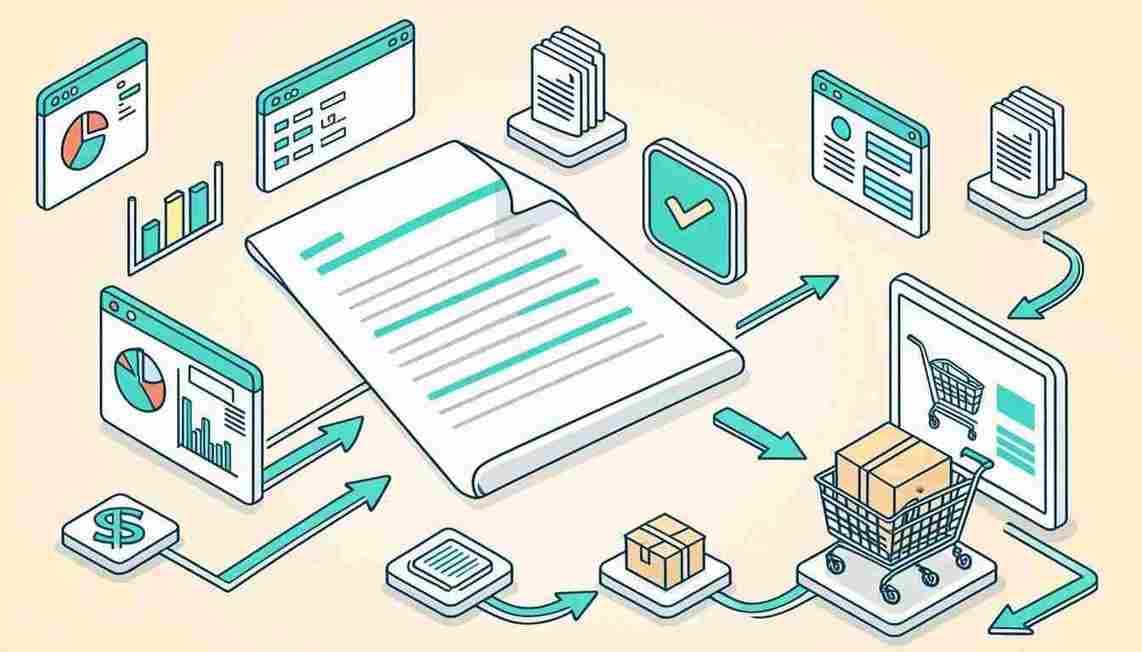
A purchase order (PO) is a formal document a buyer sends to a supplier, specifying what goods or services are being ordered, quantities, agreed prices, delivery date, and payment terms. It’s a commitment: “I agree to buy these items at these prices if you deliver by this date.” Once the supplier accepts the PO, it becomes a legally binding contract. Here’s everything a growing business needs to know about POs — what they are, why they matter, and how to manage them efficiently.
A purchase order protects both buyer and supplier by creating a clear, binding record of what was ordered, at what price, and under what terms. Modern platforms like Recentriq include PO management alongside inventory and accounting at $5/user/month — making structured purchasing accessible to businesses of any size.
What a Purchase Order Is
A PO typically includes: buyer and supplier information, a unique PO number for tracking, line items with descriptions and quantities, unit prices and total amounts, requested delivery date, payment terms, and shipping instructions. When the goods arrive, the PO is matched against the delivery receipt and the supplier’s invoice — a process called three-way matching that catches discrepancies before payment is made.
PO vs Invoice: The Critical Difference
This is the most common point of confusion. A purchase order is issued by the buyer to the supplier — “here’s what I want to buy.” An invoice is issued by the supplier to the buyer — “here’s what you owe me.” The PO starts the purchasing process; the invoice closes it. Having both creates a clear audit trail: the PO proves what was ordered and at what price; the invoice proves what the supplier is charging. Discrepancies between the two flag potential errors or disputes before payment.
| Aspect | Purchase Order | Invoice |
|---|---|---|
| Who sends it? | Buyer → Supplier | Supplier → Buyer |
| When is it sent? | Before goods/services delivered | After goods/services delivered |
| What does it say? | “I want to buy this” | “You owe me this” |
| Legal weight | Binding once accepted | Demand for payment |
Why Even Small Businesses Need POs
POs provide four critical benefits for businesses of any size: (1) Spending control — requiring a PO for purchases over a threshold prevents unauthorized buying. (2) Budget visibility — POs show committed spend, not just actual spend, giving a more accurate picture of your financial position. (3) Dispute protection — a PO proves what was agreed, preventing “I thought the price was different” disputes. (4) Receiving process — POs tell your team what’s expected, so deliveries can be verified.
A $500/month leak from unauthorized or unverified purchasing pays for a PO system many times over. The cost of not having POs is almost always higher than the cost of implementing them.
Purchase orders aren’t just for large companies. Any business that orders from suppliers benefits from the financial control, audit trail, and dispute protection that a structured PO process provides. Modern platforms include this capability at no extra cost.
Frequently Asked Questions
1. What’s the difference between a PO and an invoice?
A PO is sent from buyer to supplier to place an order (before delivery). An invoice is sent from supplier to buyer to request payment (after delivery).
2. Do small businesses really need POs?
If you order from suppliers regularly, POs create an audit trail, prevent disputes, and control spending. The process is built into modern platforms like Recentriq — there’s no extra cost or complexity.
3. What is three-way matching?
Matching the purchase order (what was ordered), the delivery receipt (what was received), and the supplier invoice (what’s being charged) to catch discrepancies before payment.
4. Can I create POs in accounting software?
QuickBooks Plus ($95/month) and Advanced ($215/month) include POs. Recentriq includes PO management in its $5/user/month platform alongside inventory and accounting — the most affordable option for full PO functionality.
Stop juggling five tools.
Run your whole business on one.
Recentriq brings CRM, projects, documents, accounting, and trading operations into a single context-linked workspace — so every team, every deal, and every dollar lives in one place. No more tab-switching. No more silos. No more guessing what your numbers actually mean.
Modern Project Management Software for Small Business
Finding the best project management tool 2026 can feel like searching for a needle in a haystack. Most project management tools fall into two categories: they are either too simple (acting as glorified to-do lists) or wildly overcomplicated. If you are running a fast-moving team, your project management software for small business needs to balance power with extreme ease of use.
Why You Need a True Business Management Platform
Many founders start with siloed apps. They look for a Trello alternative or an Asana alternative when their boards get too messy. They search for a Jira alternative when developers complain about UI bloat, or a Clickup alternative and Notion alternative when their workspaces turn into a maze of endless documents. The problem? None of these tools connect your tasks directly to your financial business management platform small business.
Replacing Asana and Trello with Recentriq
Recentriq eliminates the need to constantly switch tabs between Asana, Trello, and your finance stack. By combining task execution with built-in CRM and invoicing, Recentriq represents the next evolution of operational efficiency, easily claiming the title of the best project management tool 2026 for unified teams.